Outlining scenes in the Story Room
Hanging scenes off the spine, drafting them in versions, and what a scene has to answer.
This is where the outline actually gets written. Story Room → Scenes.
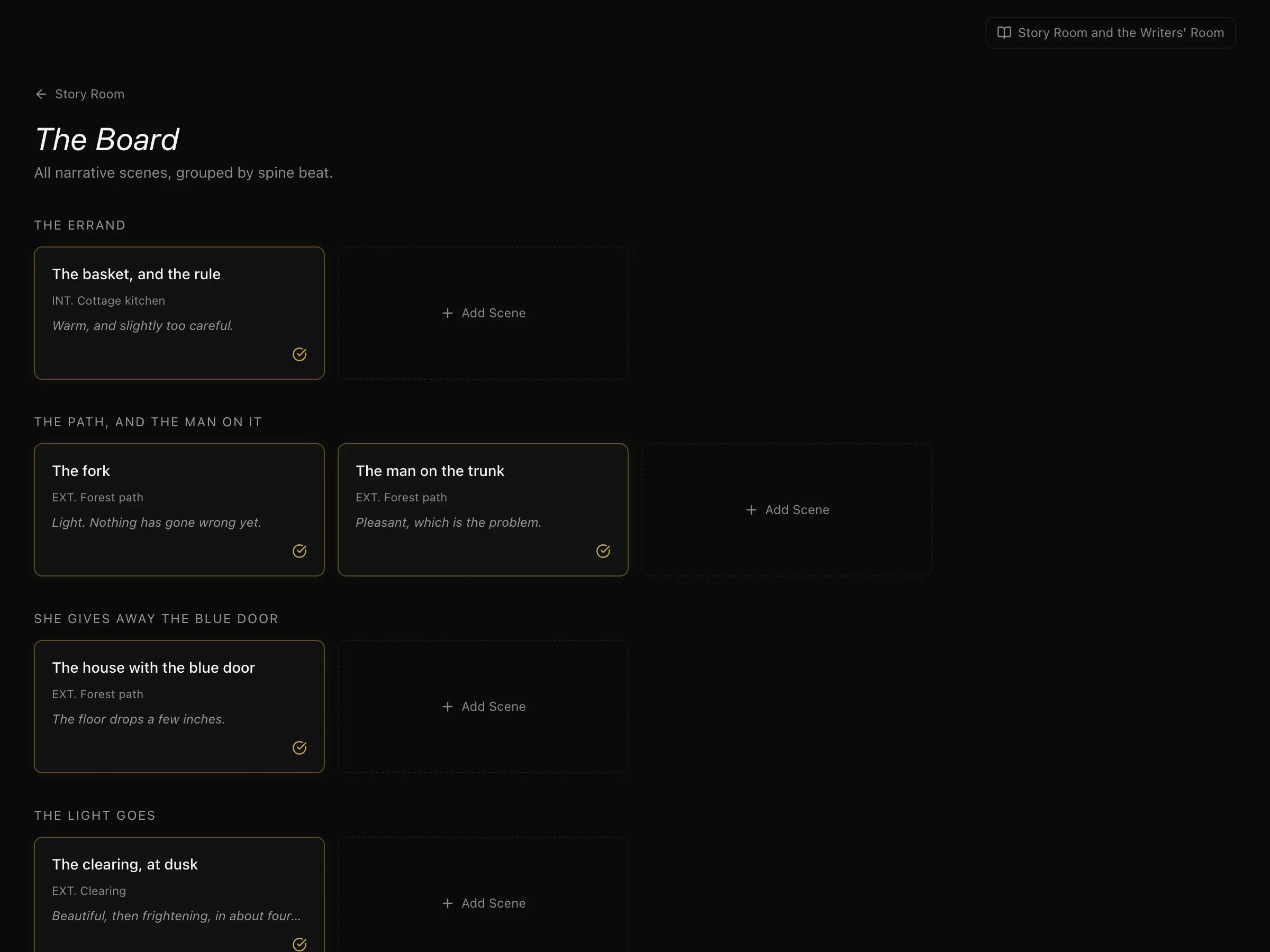
Every scene hangs off a spine node — you choose which beat it serves when you create it. That is not filing; it is the constraint that makes the spine useful. A scene you cannot attach to a beat is a scene that is not yet doing a job.
Where and when
At the top of a scene's overview, set INT / EXT and the time of day. They are what colour the scene's strip on the schedule once it is sent to production, so a scene written here arrives on the board already coloured — one imported from a script brings them with it.
What a scene has to answer
Alongside title and venue, each scene carries four fields that are worth more than the rest:
- Situation — where everyone is when it starts.
- Objective — what the character in the scene is trying to get.
- Conflict — what is in the way.
- Outcome — how it ends, and what is different because of it.
If you cannot fill in *conflict*, the scene is probably information rather than drama. If you cannot fill in *outcome*, nothing changed and the scene can usually be cut. Those two blanks are the most useful thing on the page.
There is also emotional pitch — how the scene should feel — which is what stops six well-constructed scenes in a row all feeling the same.
Drafts, without losing the last one
Scenes have versions. A scene starts with one, and you can create another whenever you want to try something without destroying what you had. One version is active at a time — that is the one the outline shows and the one that gets promoted — and you can switch which, or compare two side by side.
Use a new version when you are changing what the scene *does*, not when you are fixing a line.
Writing the scene
Inside a version, content is built from blocks:
- Action — what happens.
- Dialogue — what someone says. A dialogue block must name the character speaking; that is what lets the product tell you who is actually in the film.
- Internal — what they are thinking, for your benefit rather than the camera's.
- Parenthetical, transition, and note.
Who is in it
Assign characters to the scene. This is what populates the character's arc view and what the consistency check uses to notice a character who exists but never appears — or appears constantly and has no psychology filled in.
Next: threads, plants and payoffs — the connections between scenes.
More in Telling the Story
Didn't answer your question? Contact support.