Scheduling and the stripboard
Turning broken-down scenes into shoot days, and reading the Day Out of Days.
Scheduling turns a broken-down script into shoot days.
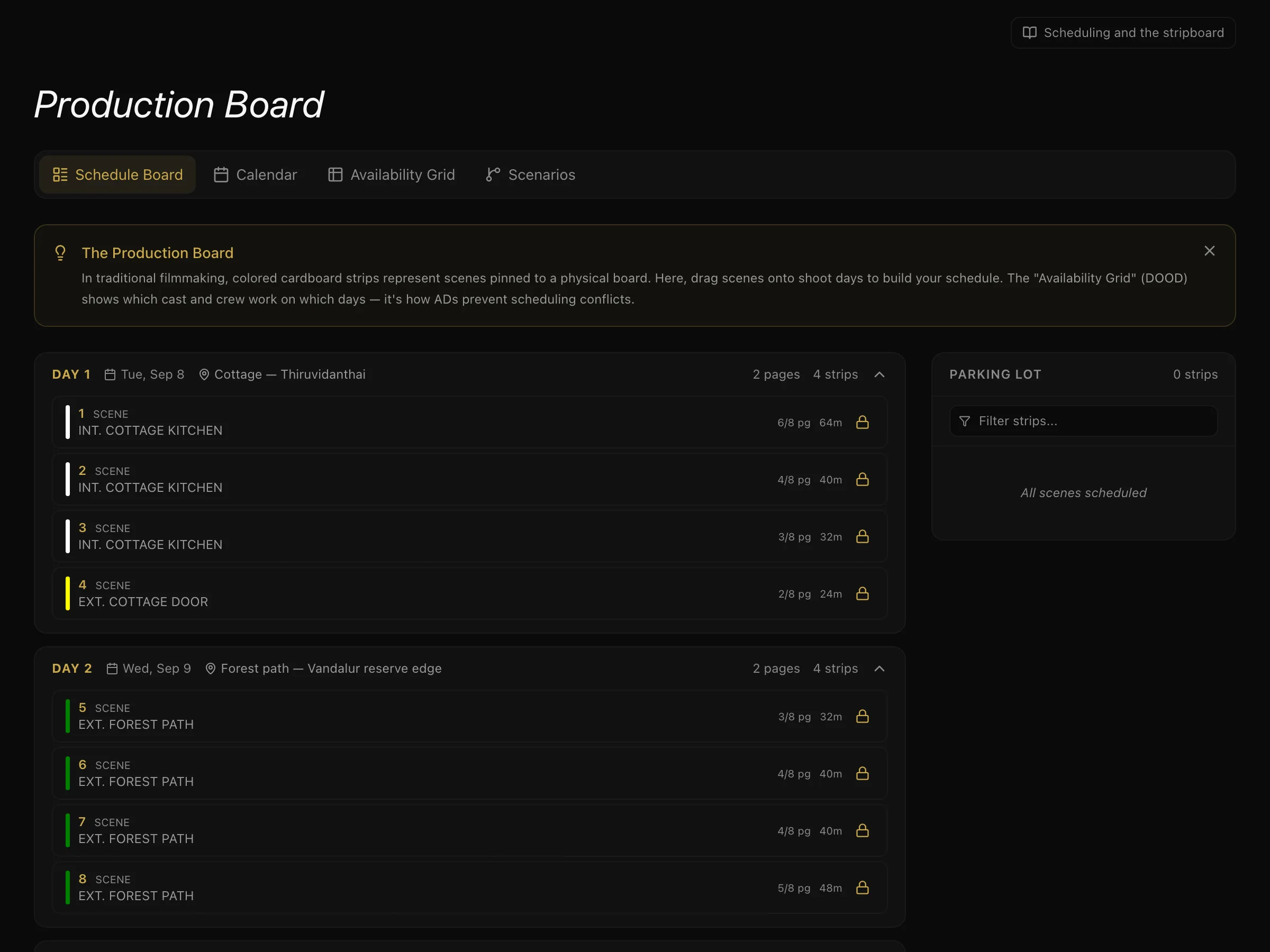
Strips and days
Each scene becomes a strip. You arrange strips into shoot days, grouping scenes that share something expensive to move — a location, a cast member, a time of day, a set.
Because the scenes carry their tagged elements from the breakdown, the board knows what each day requires without you telling it again.
To schedule a strip, pick its shoot day on the strip — or send it back to the Parking lot — and use the arrows to move it earlier or later in the day. Lock a strip you don't want moved. A shoot day moves through planned → shooting → completed, or is cancelled.
Day Out of Days
The Day Out of Days is computed from the schedule when you press Compute DOOD — you never maintain it by hand. It is the grid showing, for every cast member, what each shoot day is for them:
| Code | Meaning |
|---|---|
| SW | Start Work — their first day |
| W | Work |
| WF | Work Finish — their last day |
| SWF | Start Work Finish — begins and ends on the same day |
| H | Hold — not shooting, but held and usually paid |
The DOOD is what tells you an actor is being held for six days between two scenes — which is a cost, and usually a schedule you can improve.
Scenarios
You can save a scenario: a named version of the board. Each one keeps its own arrangement of strips along with its total shoot days.
Use it to compare honestly. Ordering by location and ordering by cast availability produce different day counts, and a scenario lets you compare them before committing. One scenario is active at a time.
What to do next
With days set, you can build shot lists for coverage, or go straight to daily call sheets.
More in Running a Production
Didn't answer your question? Contact support.