Budgets and change orders
What you planned, what you have committed, and what it will actually cost.
The budget answers one question: what is this going to end up costing? Not what you planned, and not what you have spent so far.
Why "spent so far" is the wrong number
A production that has spent 40% of its budget is not 40% through its money if it has already booked a crew for six more weeks. That crew is committed — promised, not yet paid.
So the budget tracks three things per line:
- Actuals — money genuinely gone
- Commitments — money promised but not yet paid, either from a purchase order or from crew on the roster
- Estimate to complete — what is still to come
Added together these give the estimated final cost, and variance is measured against *that*, not against what has been spent. It is the difference between knowing you are over and finding out you are over.
Commitments are open, settled, or cancelled.
Lines and categories
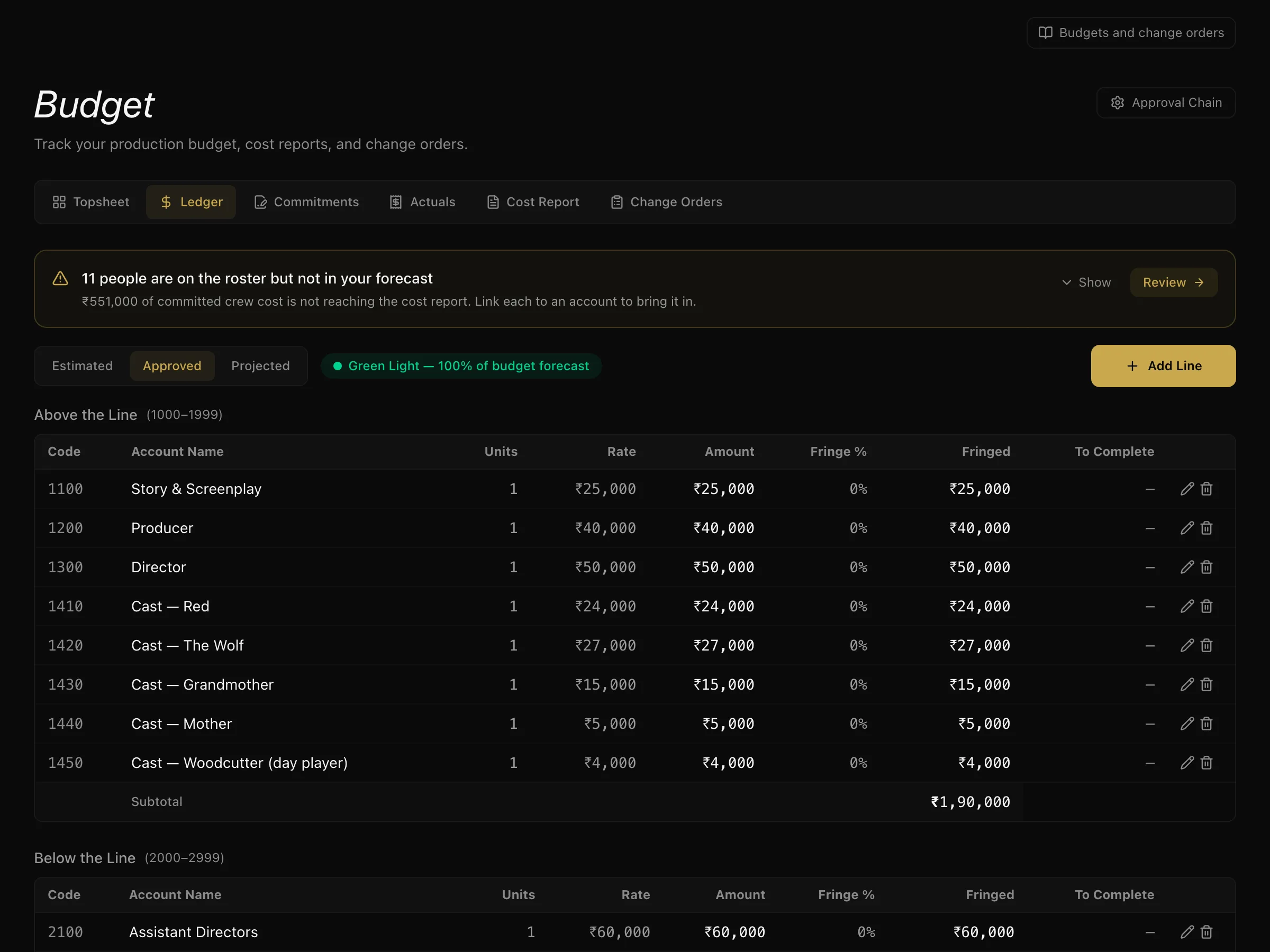
Budget lines sit in the standard categories — above the line, below the line, post production, and other for indirects like insurance and the bond fee. Lines carry fringes.
Budgets have three tiers: estimated, approved, and projected.
Crew feed the budget
Crew you book onto the project can be pulled directly into budget commitments rather than re-entered. If someone is on the roster at a known rate, the budget can already account for them.
Change orders
When something changes that costs money, raise a change order rather than quietly editing a line. Each one has a category — additional crew, equipment, schedule change, location change, or other — and moves through pending → greenlit or rejected, and can be escalated.
This keeps the record of *why* the number moved. A budget that only shows the current figure cannot tell you which decision caused it.
Contingency
Contingency is struck as a percentage of the production itself — above the line, below the line and post — and sits beside the indirects rather than inside them. Greenlit change orders draw against it, so you can see how much reserve is genuinely left.
What to do next
Departments track their own work — see department workflows.
More in Running a Production
Didn't answer your question? Contact support.