Writing or importing your script
The Writers' Room, the Story Room, and how revisions are tracked.
Everything downstream starts from the script, so this is where a project usually begins.
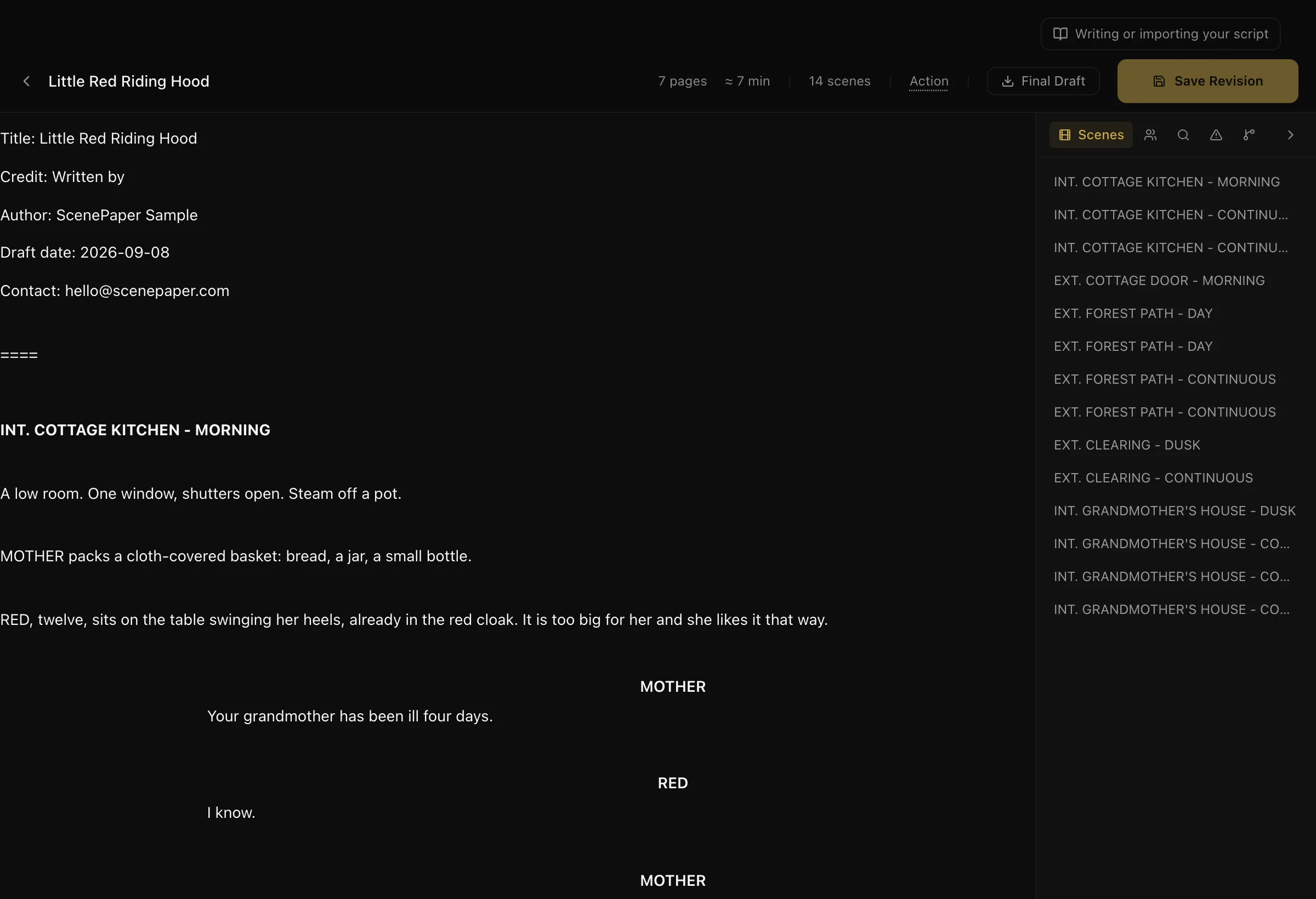
Two rooms, two jobs
Story Room is for working out what the film *is* — characters, arcs, threads, and structure. Use it when you are still developing. Nothing here has to become a page.
Writers' Room is for the screenplay itself. This is where pages exist.
If you already have a finished script, go straight to the Writers' Room. If you are developing from an idea, start in the Story Room and move across when you are ready to write.
Getting a script in
You can write directly in the Writers' Room, or bring one in:
- Final Draft (.fdx) — imported with formatting intact.
- Fountain (.fountain, .txt) — the plain-text screenplay format.
The editor writes standard screenplay format as you type. Scene headings, character names, dialogue and parentheticals are recognised from how you write them, not from a menu you have to pick from. Press Tab to autocomplete a character name you have already used.
You can write in any language. The formatting rules apply the same way.
Page count
Pages are counted in eighths, the way a production office counts them. This is the measure the breakdown and schedule both use later — a scene's length in eighths is what makes a shoot day's workload estimable.
Revisions
Every saved revision is tracked and given the next colour, using the standard colour sequence:
White → Blue → Pink → Yellow → Green → Goldenrod → Buff → Salmon → Cherry → Tan
Each revision has a number and a colour, so a page is identifiable at a glance — exactly as it is on paper. This matters when crew are holding printed pages and you need everyone on the same draft.
Who can see it
A script is private to the project by default. You grant access to specific people, and you can withdraw it. Someone with access sees the script in their own Shared Scripts area.
Actors are usually given sides — just their scenes — rather than the whole script.
What to do next
Once the script is in, break it down scene by scene. That is the step that makes scheduling and call sheets work.
Before you send a screenplay anywhere, read who can read your script.
More in Running a Production
Didn't answer your question? Contact support.