How a project works, end to end
The whole production path — what each step needs, what it feeds, and what deleting it does.
A project is one film, series or piece of content, and everything about it lives inside it. The thing to understand before you open any of it: the steps are connected. Each one reads what the one before it made, so you move the same information forward instead of typing it five times in five tools.
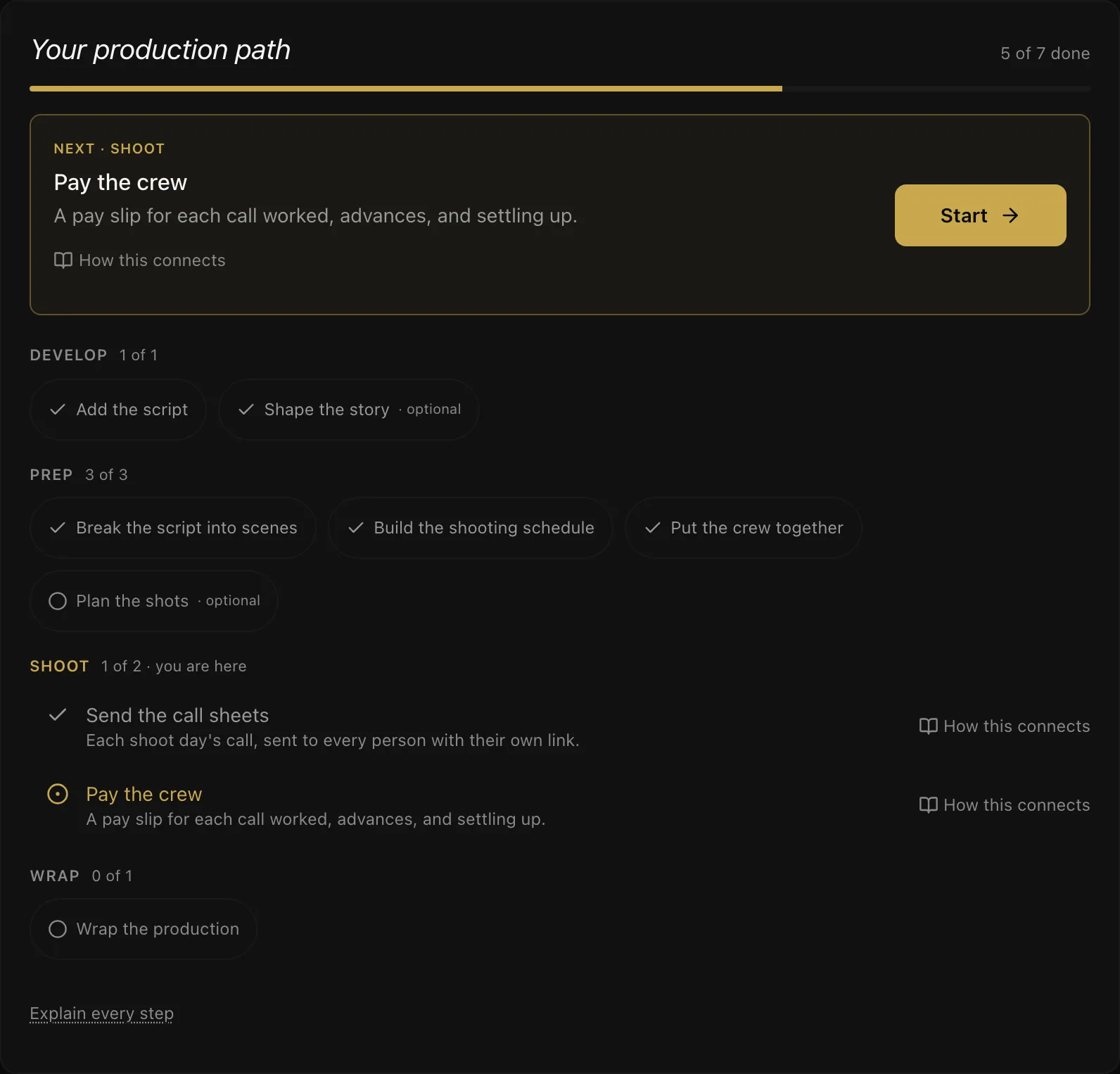
Every project page opens on its production path — the steps below, in the order a production is made, with the ones this production has done ticked off. Done is read from the work itself, so it is never out of date, and nothing is locked: start wherever your job starts. Every step on the path has a How this connects link to its part of this page.
The map
`` DEVELOP Script ─┬─→ Scenes ─→ Schedule (shoot days) ─┬─→ Call sheets ─→ Attendance ─→ Crew pay Story ──┘ │ │ │ │ PREP └─ Shot lists └─ Day plan ─────┤ └─→ Daily report Crew (roster) ───────────────────┘ Budget ←──── spending posts here ←── pay, supplier bills SHOOT Suppliers (junior artistes, catering, transport) ─→ bills WRAP Cost report reads all of it · Wrap POST Post tasks (edit → picture lock) · VFX · Music ─→ Deliverables RELEASE Marketing (poster, teaser, trailer…) · Festival run · Distribution deals ``
Money is found in Finance — between the script and prep — and runs through every stage after it.
Three rules hold everywhere:
- Nothing that has been sent, signed or paid is deleted. An issued call sheet, a signed daily report and a settlement are records. They are revised, reopened or reversed instead — the message tells you which.
- Deleting never takes your crew with it. People live in your house's crew list, not in any one production.
- Money is reversed, not erased. See Deleting things in a production.
Coming up, and reminders
Every date you enter is watched for you: festival deadlines, deliverable and post-task due dates, the day money is expected, marketing due dates, deliveries to a distributor and release dates. Base Camp → Coming up lists all of them across your productions, soonest first, with anything overdue at the top.
- Reminders: a week before and the day before a deadline; on the day for money and follow-ups. One message a day — in the app, on your phone and by email — never one per item.
- Who hears: the people who can act on it. Money goes to those who can record payments; an assigned post task goes to its assignee; a viewer is not reminded.
- Follow-ups: add your own from Coming up — "call the distributor on Friday" — optionally tied to a production. Only you see them. Tick one off when it is done.
- Turning email off: The Booth → Email Settings → Account & reminders. The in-app list stays.
Script
The screenplay: write it in the Writers' Room or import Final Draft, Fountain or PDF.
- Needs: a project, nothing else.
- Feeds: everything. Set up from script reads it once and builds the characters, the scene board, the production scenes, the breakdown (cast and locations tagged, plus any props, wardrobe or vehicles you tagged in Final Draft) and a strip for every scene. Run it again after a new draft and it only adds what is missing.
- Deleting: the script, its revisions and anything sent from it go. The production keeps the scenes built from it — they carry takes, strips and call sheets — they simply stop pointing at a script.
Story (optional)
The Story Room: characters, the spine of the film, threads that must pay off. Worth it while you are still finding the film; skip it if the script is done.
- Needs: a project.
- Feeds: the characters casting attaches actors to, and scenes on the board that can be promoted into production scenes.
- Deleting: refused while something depends on it — a spine beat with scenes attached, a character who speaks in a scene or is cast, tagged or on the Day Out of Days, a scene that is already on set. The message says what to remove first.
Funding
Who is paying for the film, what each has promised, and when it lands — recorded in Money In before the crew is hired against it. On a production-size project this is the Finance stage, so the path does not move you on to prep until the money is lined up.
- Needs: nothing. "Own funds" counts — record it so the cash position means something.
- Feeds: the cash position on Money In (is there enough to pay everybody on Friday), and a reminder on the day each payment is expected until it has all arrived.
- A promise is not money. Record each receipt as it arrives; the two are weeks apart.
Scenes
The script broken into scenes, with page counts and who is in each one — and, in the breakdown, what each scene needs: cast, props, wardrobe, vehicles, locations.
- Needs: a script is the quickest way (Set up from script), or add them by hand.
- Feeds: the schedule (every scene becomes a strip), shot lists, the Day Out of Days, and the departments' lists of what each day needs. This is the step people skip and then do everything else by hand.
- Deleting: a scene is set aside, not erased — its strips leave the board and it can take no new ones.
Schedule
Scenes grouped into shoot days on the stripboard, with a date on each day.
- Needs: scenes.
- Feeds: the call sheet for each day, the day plan (who is needed which day), the Day Out of Days, and every date pay and reports hang off.
- Deleting a day: its strips go back to the unscheduled pile — the scenes are not touched. Refused once the day's call sheet has been issued (the crew have it — change the day's date instead) or its daily report has been signed (reopen the report first).
Crew
The production's roster: who is on it, in what role, from when to when, and on what terms — per call, or on a contract fee.
- Needs: people in your house's crew list — anyone, with or without a ScenePaper account.
- Feeds: the call sheet (populate from roster), the rate on every pay slip, the day plan, and the budget's committed cost. A clash with another booking of theirs is warned about, not blocked.
- Deleting: removing someone from the roster also removes the budget commitment their booking made. It never removes the person or anything they were paid. A production cannot be archived while anyone is still booked on it.
Budget
The lines the production spends against — approved, estimated and forecast.
- Needs: a project.
- Feeds: the cost report. Crew bookings post commitments; paid supplier bills and settled bonuses post spending to their line; crew pay coded to a line is read by the cost report straight from the pay slips.
- Deleting a line: refused while spending is recorded against it — move or reverse that spending first, or the cost report would lose money that was really spent.
- Deleting spending: only what was typed into the budget. A paid supplier bill or a settled bonus is marked with where it came from and is undone there — Reverse the payment on the invoice, or reverse the settlement — so the bill and the budget never disagree.
Shot lists (optional)
Shots and storyboards for each scene, and on the day, which are done.
- Needs: scenes.
- Feeds: the day's shot tracking and the daily report's setups.
- Deleting: only by the person who made the list.
Call sheets
One per shoot day: call times, location, nearest hospital, who is needed and when — sent to each person with their own link.
- Needs: a shoot day number — it links to the scheduled day as soon as there is one. The crew come from the day plan or the roster with one press.
- Feeds: each person's own call-sheet link, read receipts and reminders, attendance on the day, and the day's pay slips (Build from call sheet — once the sheet is issued).
- A draft is private and editable; issuing sends it. Once issued it cannot be edited or deleted — issue a revision, which records exactly what changed and tells the crew. Only a draft can be deleted.
Daily report
The Daily Production Report: what was shot against what was planned, the times the day ran to, delays and why — signed by a producer at wrap.
- Needs: a shoot day. It fills itself from scenes completed, takes, shots and attendance.
- Feeds: the production's record, and a PDF for the studio or financier.
- Signing freezes it. Editing needs it reopened, with a reason, which is recorded.
Crew pay
A pay slip for every call worked, advances, loans, allowances, and settling up.
- Needs: an issued call sheet (Build from call sheet makes a slip for each line — a draft can still change, so pay waits until it is sent) and the rates on the roster. Attendance fills in the real arrival and wrap.
- Feeds: the pay run, each person's ledger, tax at source, and the budget's spending.
- Once settled, a slip cannot be changed or deleted. A settlement is never deleted — it is reversed, which releases its slips and recoveries and takes its spending off the budget. An advance can be voided until any of it has been recovered.
Suppliers (optional)
Junior artistes, catering and transport, ordered by headcount, counted on set and paid by what turned up.
- Needs: a supplier with a rate card.
- Feeds: supplier bills, checked against your own count, and the budget when a bill is paid. A payment made in error is reversed on the bill, which takes it off the budget too.
- A day on a bill is locked — it cannot be recounted. Suppliers, their orders and their bills stay on record; they are not deleted.
Cost report
What has been spent and committed against the budget, and what the production will finish at.
- Needs: a budget; it reads spending, commitments, pay slips and petty cash from everywhere else.
- Feeds: decisions. It is a report, never edited itself.
Wrap
When the shoot is done, move the production on to post. Wrap reports let the production and the crew rate each other on a job that really happened.
- Needs: crew released or wrapped before a production can go In the can (archived).
- The stage is yours to set. When the work has moved past the stage the production says it is in, the path offers Move to the next one — it never moves it for you.
- Deleting: a real production is archived, never deleted. Only the sample production is removed outright — with everything in it, including the sample cast and crew on your crew list, unless you have since booked one of them on a real production.
Post-production
The edit through to picture lock, and the finishing after it — editorial, colour, sound and music — as tasks on a board, each with an owner, a priority and a due date.
- Needs: nothing. Post often starts while the shoot is still running.
- Feeds: the production's record of what is left before delivery.
- Deleting a task removes it from the board; it does not touch anything else.
VFX (optional)
Every effects shot through the pipeline — turnover to delivery — with each version and notes pinned to the frame.
- Needs: nothing; a shot can name the scene it belongs to.
- Feeds: the pipeline view of how many shots sit at each stage.
- A shot moves one stage at a time, forward or back, so its history reads in order.
Music (optional)
Each music cue with its timecodes, composer and licence, from temp track to final mix. Lives under Music & Sound, beside the sound design notes.
- Needs: nothing; a cue can name its scene.
- Feeds: the licensing picture — which cues are original and which need clearing.
- Deleting a cue removes it from the list.
Deliverables
The masters a festival, distributor or platform asks for — format, resolution, frame rate and codec — each with a QC report before it goes.
- Needs: the specs from whoever is receiving the film.
- Feeds: delivery. The path counts this step done when every deliverable is delivered or approved, not when the first one is.
- A failed QC report stays on record beside the deliverable; fix and check again.
Festival run (optional)
Where the film is going: each festival it is entered at, the category, the deadline and fee, and what came of it. Pick a festival from The Circuit and its dates and deadline come with it, or type the name of one the directory does not list.
- Needs: nothing — plan the run before the film is finished.
- Feeds: the next deadline and the fees paid so far. Marking an entry Submitted dates it today unless you give a date.
- Deleting an entry removes it from the run. If The Circuit drops a festival, your entry keeps its name.
Marketing (optional)
What the film goes out with — poster, teaser, trailer, stills, press kit, social, the premiere — on the Release Plan, each with a due date and a link to the finished file.
- Needs: nothing; plan it while post is still running.
- Feeds: reminders a week and a day before each is due. Marking one Released dates it today.
- Deleting removes it from the plan; nothing else is touched.
Distribution
The deals that put the film in front of an audience: theatrical, streaming, TV, airline. Each records the partner, territory, whether it is exclusive, the minimum guarantee, your revenue share, the rights window, and the dates for delivery and release.
- Needs: nothing — record a deal while it is still in talks.
- Feeds: the Release Plan's totals (what is guaranteed, the next release), and reminders before a delivery is due and before the film releases. The path counts this step done once a deal is signed; talks and lost deals do not count.
- Deleting removes the deal; nothing else is touched.
What crew see
Crew on your production do not see any of this. They see the days they are called, their scenes, their contract and their call sheet — a crew member should not have to read a schedule to find out when to turn up.
More in Running a Production
Didn't answer your question? Contact support.